3 free notes a day · No payment needed · iPhone, Android, Mac and Windows
Up to 60 minutes
per recording, from a quick dictation to a full consultation.
Multiple templates
according to your specialty and the type of visit.
English and Portuguese
so you can document in the language of the visit.
Phone and desktop
start on one, finish on the other.
How AI Scribe works
One visit, start to finish.
Most scribes stop at the note. HosTalky carries it through your review, into the patient's history and on to everything that comes next.
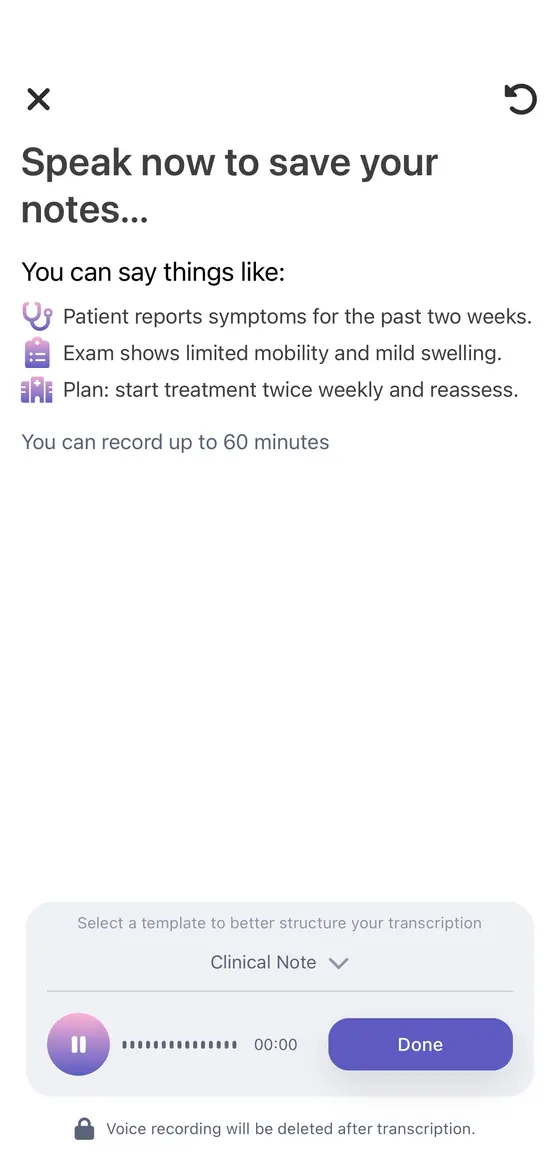
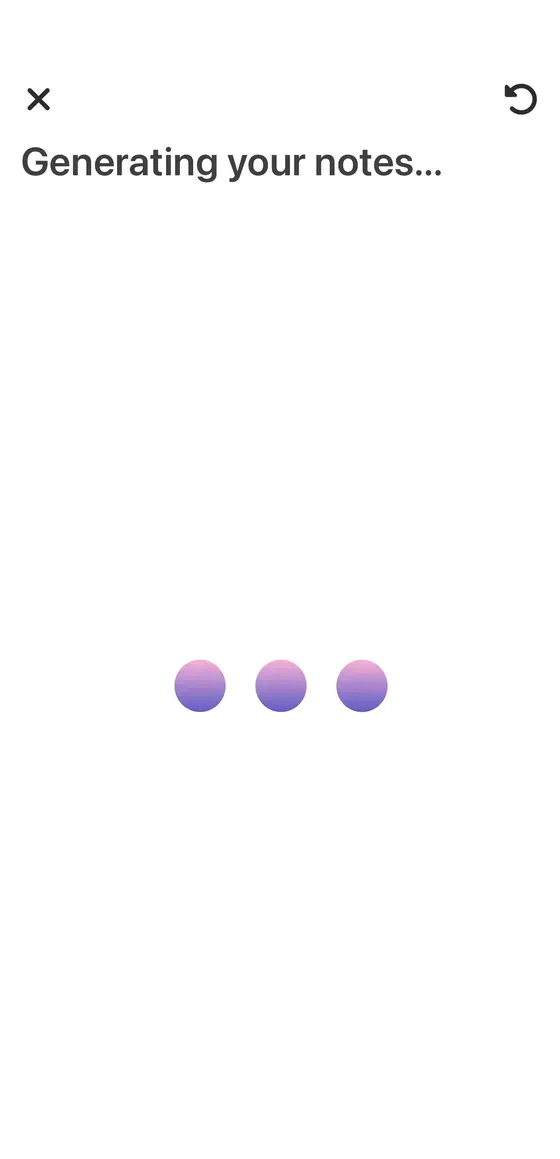
01Capture
Tap record and talk.
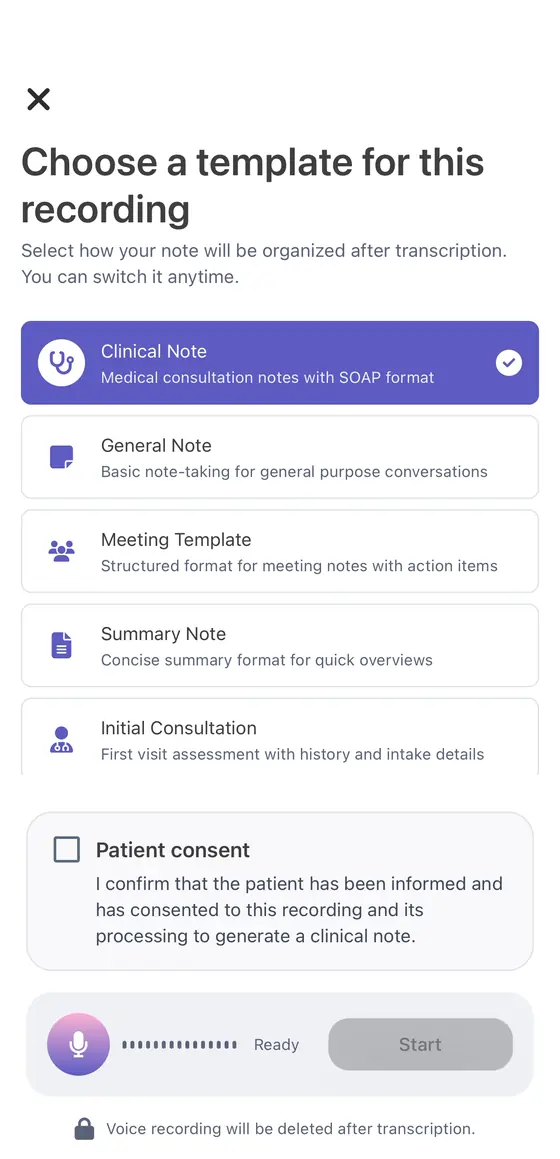
Pick the template for your specialty and record the consultation, or dictate a quick summary once it's over. In clinic, on a ward round or on a home visit. On desktop, you can capture an online consultation too.
Tip: say your findings and the plan out loud as you go. The more the conversation covers, the more complete the draft.
Up to 60 minutes · English or Portuguese · Records only when you tap
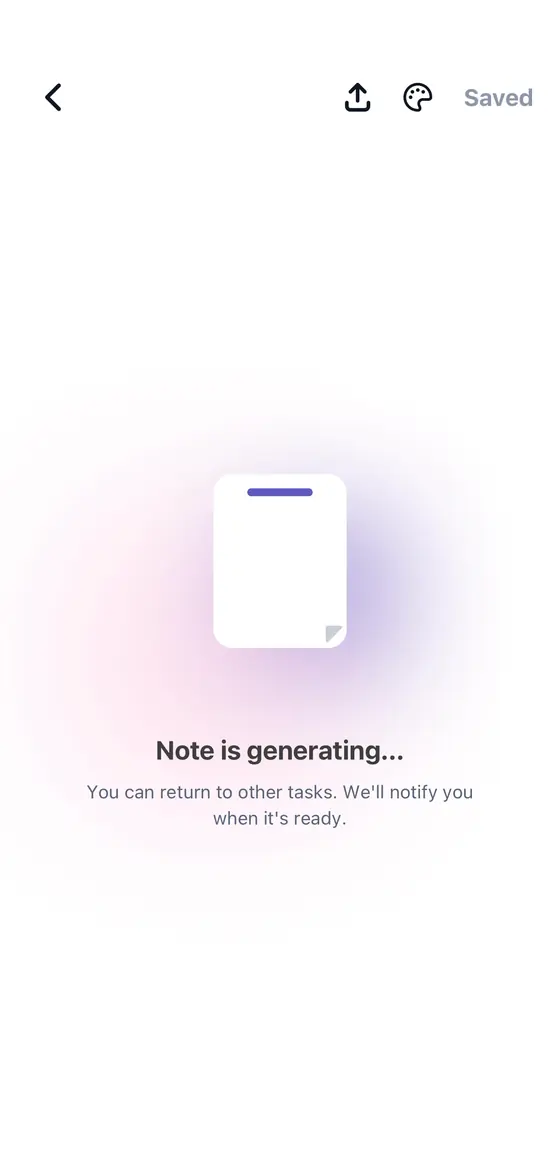
02Keep working
Stop recording. Keep working.
The note drafts in the background while you move on to the next patient. HosTalky lets you know the moment it's ready.
Notification when it's ready
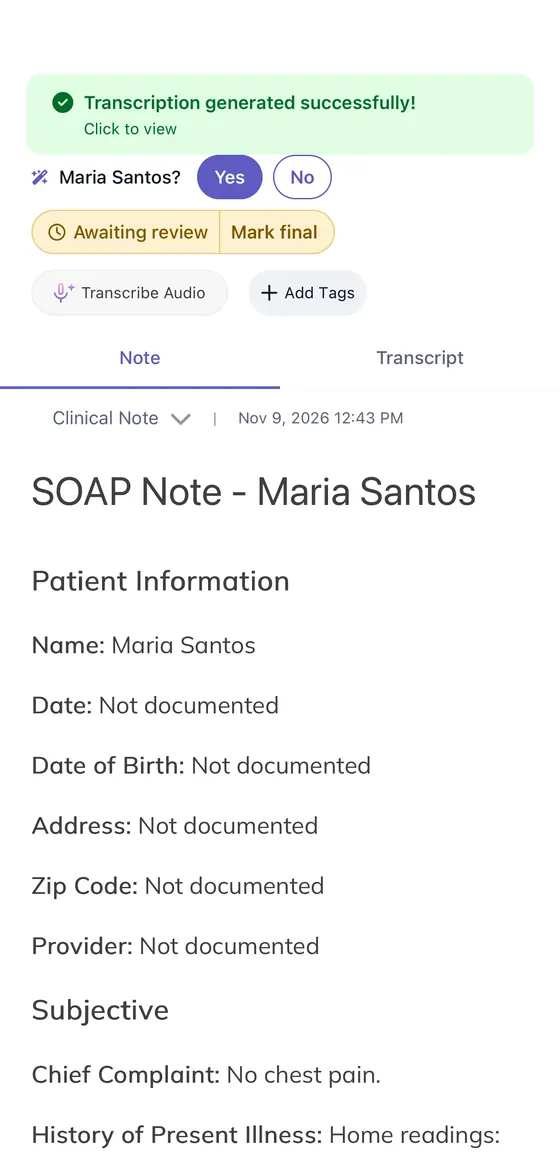
03Draft
A structured note, not a blank page.
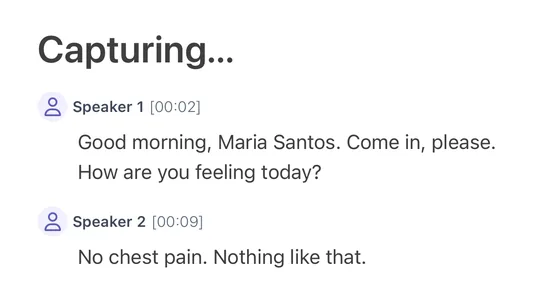
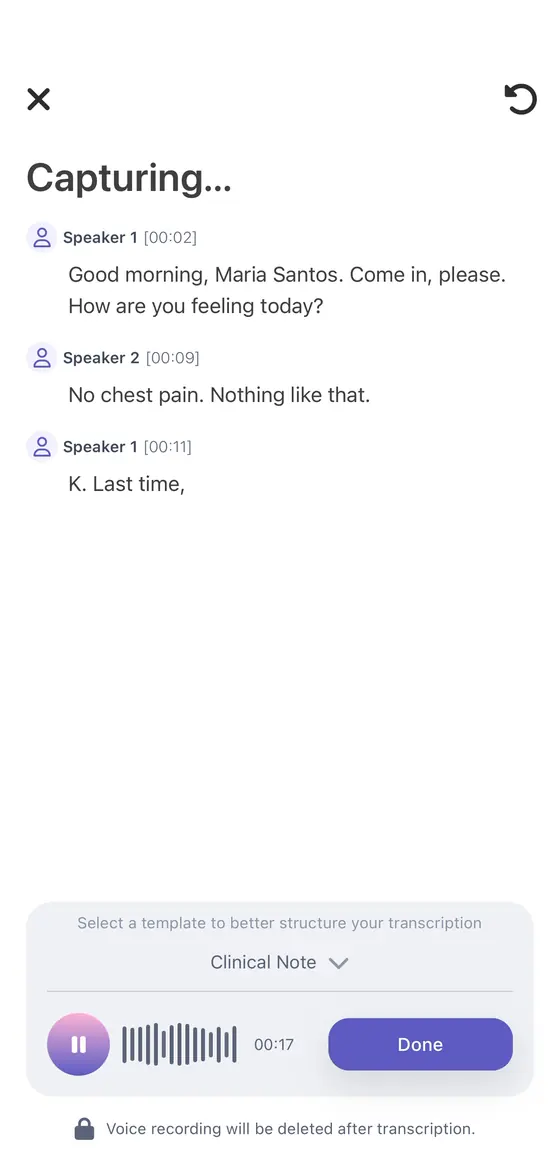
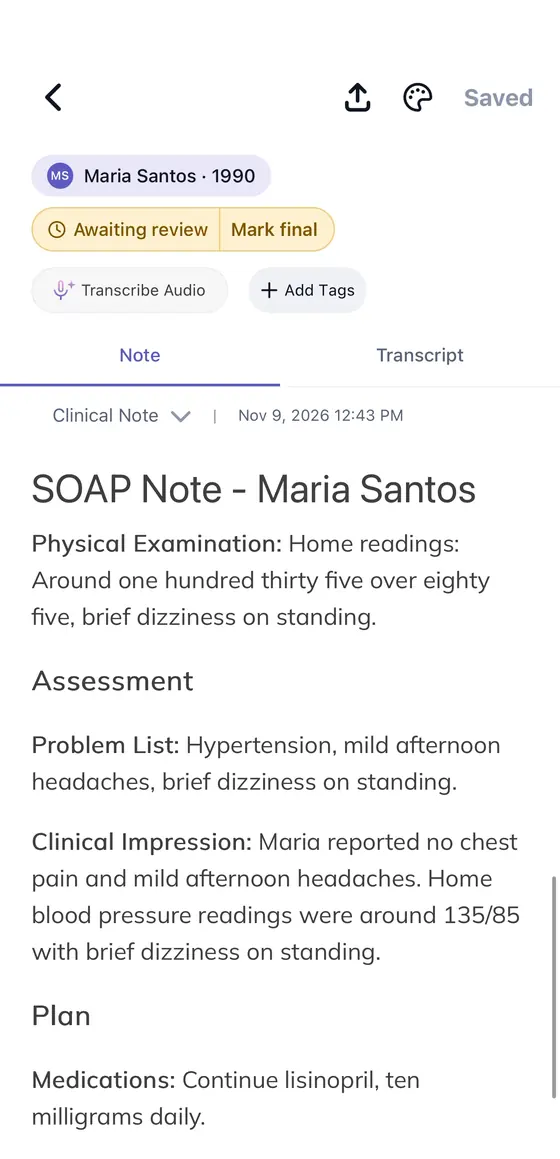
AI Scribe organizes the conversation into your template. The time-stamped transcript is one tap away, so you can check exactly what was said before you rely on any line.
Templates by specialty · Time-stamped transcript
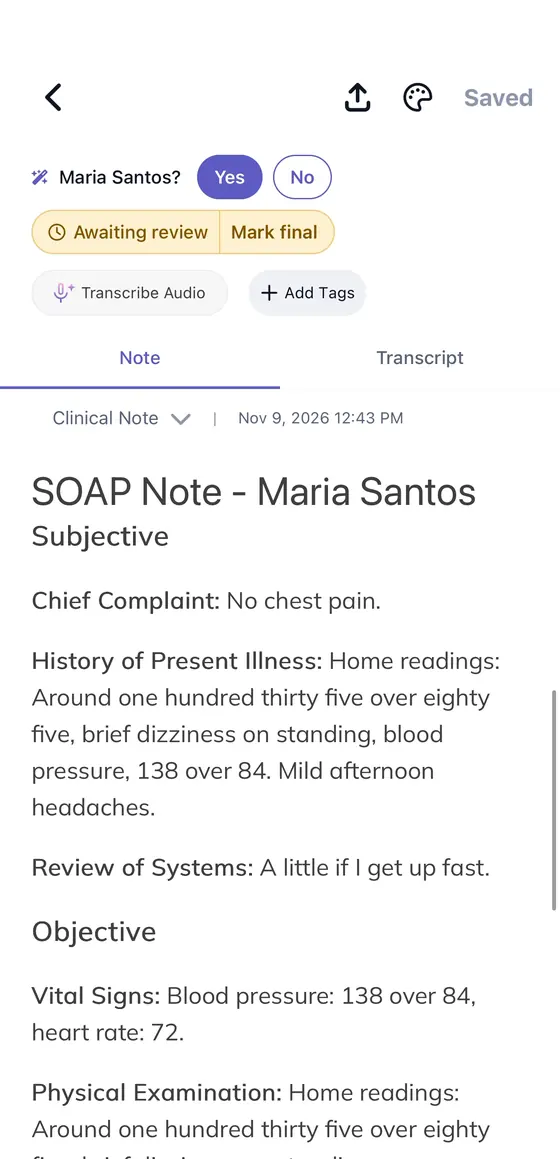
04Review
Nothing is final until you say so.
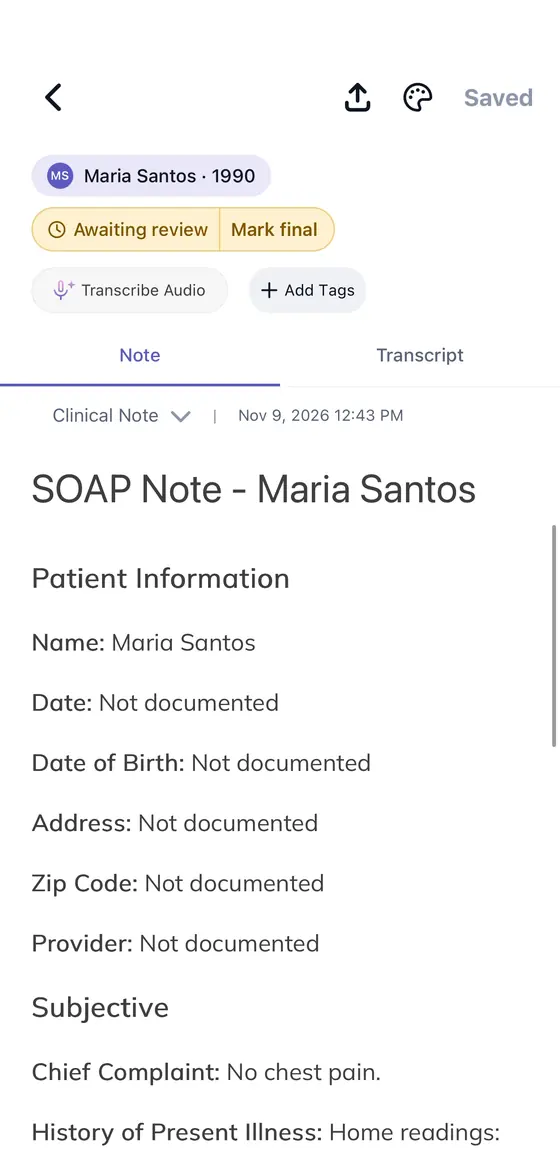
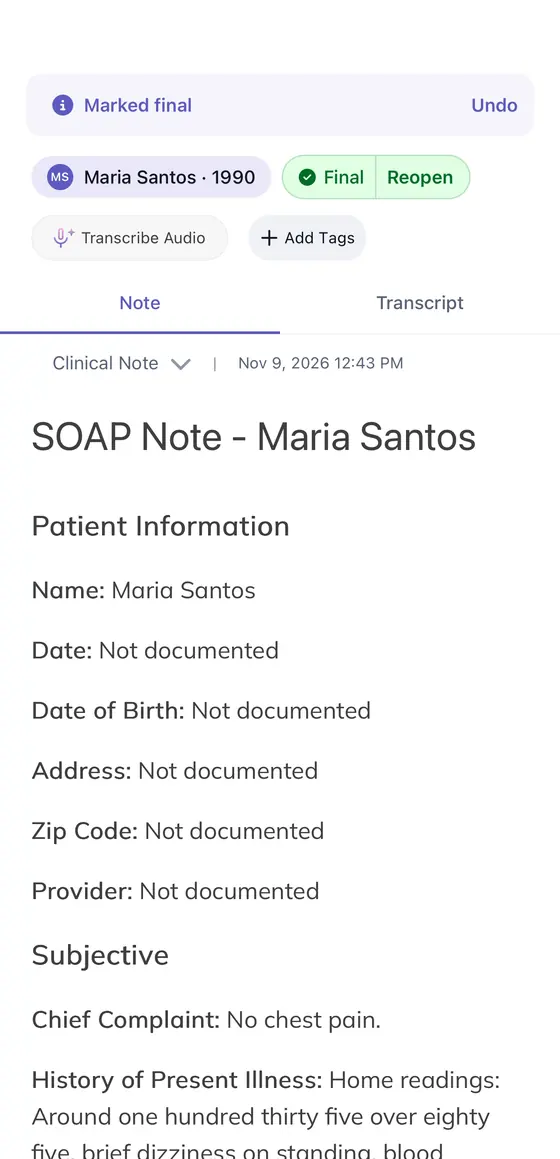
Every new note is saved as Awaiting review. Read it beside the transcript, change anything, then mark it Final. One filter shows what's still waiting, so no note slips through at the end of the day.
Two statuses · Awaiting review → Final
05File to patient
Filed to the right patient.
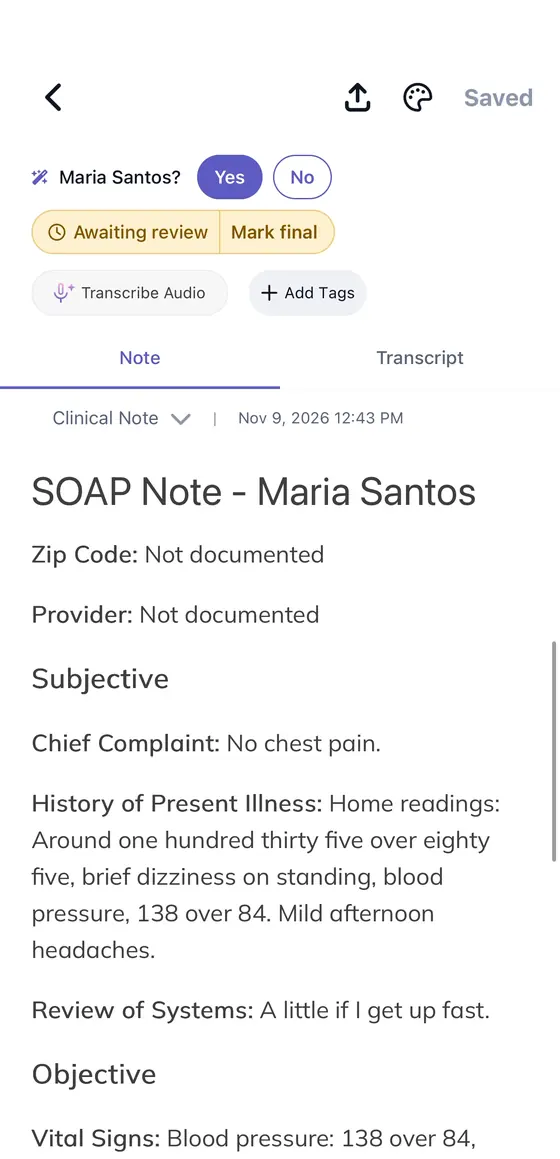
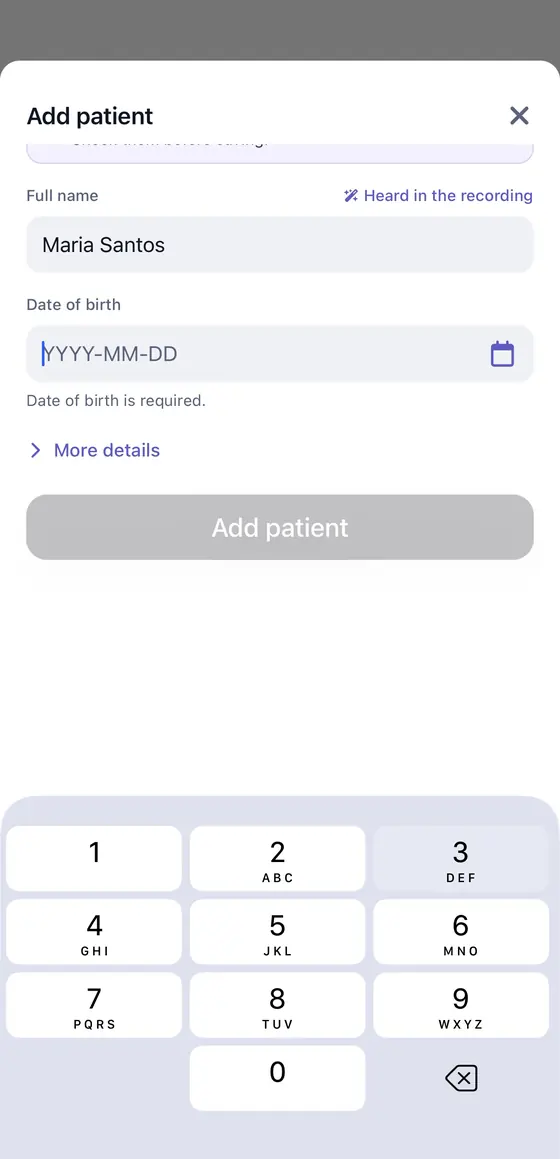
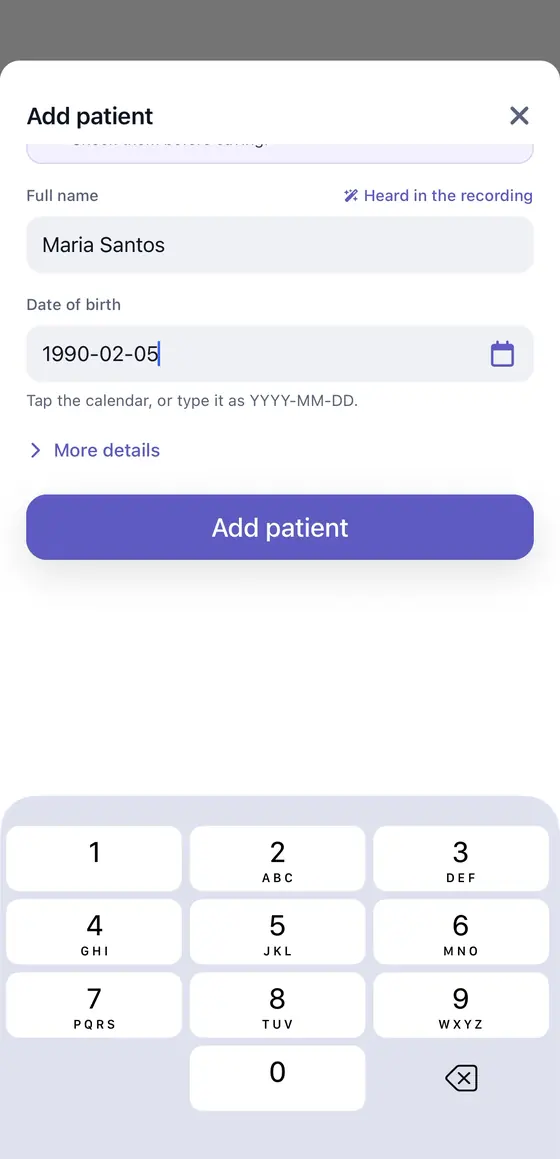
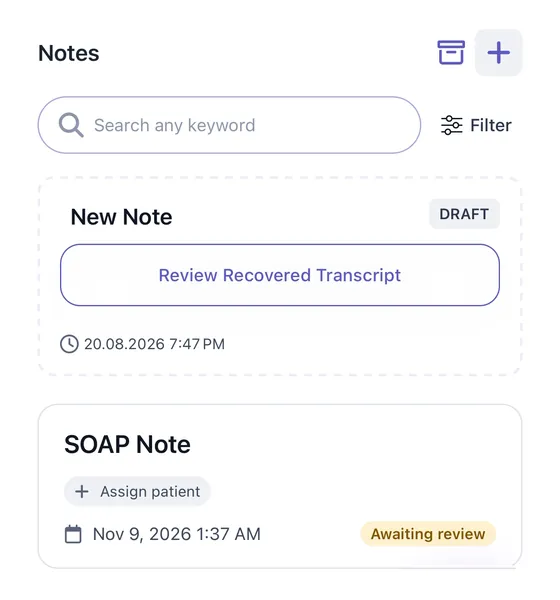
Record from a patient's page and the note files itself. Record from anywhere else and HosTalky listens for a name: when it clearly hears one, it asks, and one tap on Yes adds the note to that patient's history. No clear name, no guessing. The note waits under Not assigned yet until you choose.
Automatic from the patient's page · Yes / No everywhere else
06Continuity
The note is final. The care isn't.
This is where other scribes stop. With HosTalky, ask MediGenie a clinical question or look up a term in Meditionary. Export the note as a PDF, share it with a colleague, or open a group chat with the care team around the patient. Then set a reminder for the recheck. Same app, same login.
MediGenie · Meditionary · PDF · Chat and group chats · Reminders · &CareID
01 / 06 · Capture
1 / 6 · Recording
Review status
Awaiting review until you say it's final.
Busy days end with a stack of notes and a nagging doubt about which ones you actually checked. HosTalky marks every AI draft Awaiting review until you approve it, so what still needs you is always one filter away.
Two clear statusesAwaiting review or Final. A note only becomes Final when a clinician says so.
One filter for what's leftShow the notes awaiting review, the final ones, or the ones not assigned to a patient yet.
Check against the sourceOpen the transcript beside any draft before you mark it final.
Patient-centric organization
Every visit in one patient history.
Recurring patients are where documentation gets messy: notes scattered across days, a follow-up you can't find. HosTalky files each note to the patient it belongs to, so the next visit starts where the last one ended. Tags still work for anything else your team tracks.
Automatic from the patient's pageStart recording from a patient's page and the note goes straight into their history.
A Yes or No everywhere elseWhen HosTalky clearly hears a name, it suggests the patient. No clear name, no guess: the note waits under Not assigned yet.
The whole story in orderEvery note for that patient, newest first, each with its status.
Made for real clinical days
Wherever the visit happens, the note follows.
In clinic
First visits and follow-ups
Record the consultation in the room, with a template for your specialty and the type of visit.
On the move
Ward rounds and home visits
Everything runs on your phone. Dictate a summary between patients and review it later on your desktop.
Online
Video consultations
On desktop, capture an online consultation and get the same structured draft and review flow.
Privacy-first
Careful with every conversation.
Patient conversations deserve careful handling, from the first tap to the final note.
An AI scribe listens to a clinical conversation and drafts the documentation for you. HosTalky's AI Scribe turns the visit into a structured note in your template. It stays Awaiting review until you check it and mark it Final.
Does HosTalky record in the background?
No. Recording starts and stops only when you tap it, and voice recordings are deleted after transcription.
Which note templates are available?
Multiple note templates, according to your specialty and the type of visit, such as a first consultation or a follow-up. Pick one before you record and the draft comes back in that structure.
Can I check what the AI wrote?
Yes. Every draft has its time-stamped transcript one tap away, and every new note is saved as Awaiting review. It only becomes Final when you approve it.
How are notes organized?
By patient. Record from a patient's page and the note is filed to them automatically. Record from anywhere else and, if HosTalky clearly heard a name, it suggests the patient for a quick Yes or No. Notes without a clear name wait under Not assigned yet, and tags work alongside for anything else you track.
Does it work with my EHR?
Final notes export as a PDF for your records, or can be shared with colleagues inside HosTalky. Direct EHR integration isn't available yet; tell us which system you use when you book a demo.
How much time can an AI scribe save?
It depends on your workflow and note types. In a 2025 JAMA Network Open study, clinicians using an ambient AI scribe spent 15.9% less time in notes. Try HosTalky on your own visits to see your number.
Is there a free plan?
Yes. The Free plan includes 3 AI Scribe notes a day with no payment needed. Pro (CA$49/month) makes AI Scribe unlimited. See pricing.
Can't find yours? Book a demo and ask us directly.
Still comparing scribes?
Get a sample transcript and finished note in your inbox.
For clinics and teams
See it on your workflow, not on a slide.
Recording, review status, patient histories and everything after the note, walked through with your team. Clinic plans cover up to 10 users.